The Problem
Detecting issues is only half the work. Disconnected tools and manual follow-up make it hard to keep orders moving.
Who should
review it?
Does the provider
need to be contacted?
Coding vs policy vs
documentation issue
Should the order be
blocked from billing?
Has anyone
followed up?
Is the order ready to
move downstream?
SignalDX turns issues into workflows
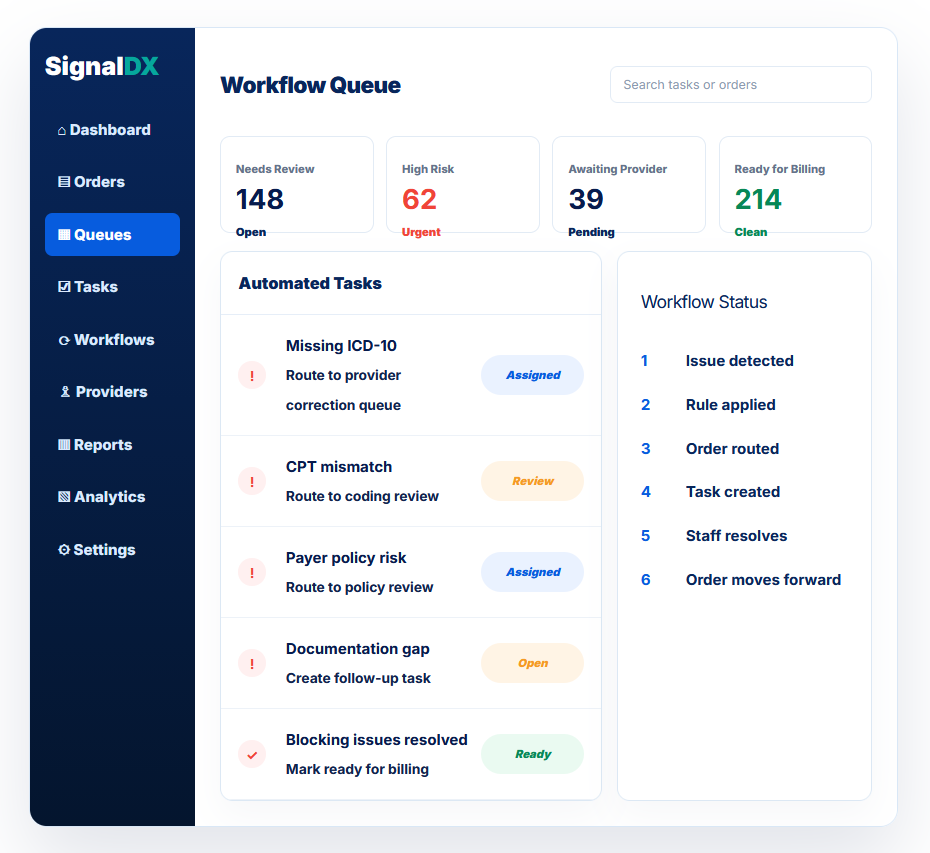
SignalDX helps your team automatically route orders based on issue type, risk level, status, and required action.
Instead of simply flagging a problem, SignalDX helps create the next step.
What workflow automation can do
Route orders
Automatically organize orders based on what needs attention.
Create tasks
Create a task for the right team when SignalDX detects an issue.
Trigger corrections
Start structured provider correction workflows when input is needed.
Escalate delays
Help supervisors identify work that is taking too long.
Route orders to the right queue
Automatically organize orders based on what needs attention.
Needs Review
- Newly detected issues
- Incomplete orders
- Review required
High Risk
- High-risk score
- Potential denial risk
- Urgent work queue
Awaiting Provider
- Provider correction sent
- Missing ICD-10
- Documentation needed
Coding Review
- CPT mapping
- Missing modifier
- Invalid ICD-10
Policy Review
- Payer policy risk
- Medical necessity
- Prior auth indicator
Ready for Billing
- Issues resolved
- Clean order
- Downstream handoff
A smarter workflow from issue to resolution
Issue is detected
SignalDX identifies missing data, coding risk, policy risk, or documentation gaps.
Workflow rule is applied
The system determines what type of work is needed based on the issue.
Order is routed
The order moves into the right queue for intake, coding, policy, provider correction, or billing readiness review.
Task is created
A clear action is assigned to the appropriate team or user.
Staff resolves the issue
Your team reviews, corrects, approves, or requests missing information.
Order moves forward
Once issues are resolved, the order is marked ready for downstream handoff.
Example automation rules
| Trigger | Automated action |
|---|---|
| Missing ICD-10 | Create provider correction task |
| Invalid ICD-10 | Route to diagnosis review |
| Non-specific ICD-10 | Route to provider clarification |
| CPT mismatch | Route to coding review |
| Missing modifier | Create coding review task |
| Missing provider NPI | Route to intake cleanup |
| Payer policy risk | Route to policy review |
| Documentation gap | Create documentation request task |
| High-risk score | Add to High Risk queue |
| All blocking issues resolved | Mark Ready for Billing |
Create tasks from detected issues
Escalate delayed work
Why teams use SignalDX workflow automation
Less manual routing
Orders are automatically organized based on the work required.
Faster issue resolution
Staff can see what needs action, who owns it, and what status it is in.
Better team accountability
Tasks, queues, and statuses help teams avoid duplicate work and missed follow-ups.
Cleaner billing handoffs
Orders can be held until required issues are resolved, then moved downstream with confidence.
More operational visibility
Supervisors can see bottlenecks, aging tasks, unresolved issues, and work by queue.
Built for flexible lab workflows
Every lab works differently. SignalDX workflow automation can support different review models.
Turn issue detection into action
SignalDX helps your team move from “we found a problem” to “we know exactly what to do next.”